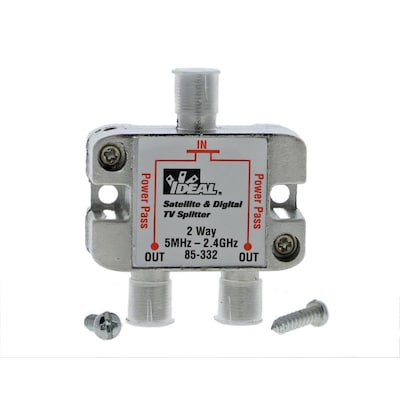
Use a Cable
Splitter to Distribute a Signal to Multiple Devices
Most standard cable installations have one piece of coaxial cable
coming in per room. If you want to split the signal from that cable, you’ll need
a cable splitter. These
splitters, which some people call coaxial cable splitters or video splitters, take the video signal from the
source —usually your cable company — and divide it, enabling you to transmit
the same signal to multiple devices. You can also use a cable splitter to
connect to an internet router.
Of course, splitting cables can lead to a tangled mess. For a
clean, streamlined look, try the cable management and concealment products we offer at Lowe’s.
Frequently Asked Questions
Q: Do cable splitters weaken a signal?
A: Yes, a cable splitter can weaken signal strength. The more
times you split the line, the weaker the signal. It’s best to split the cable
as few times as possible.
To avoid weakening a signal too much, you can add a signal
amplifier to the line before you split the signal. While this can help to maintain
signal strength, it can introduce a bit of noise to the signal further down the
line.
Q: Can you use a cable splitter for internet and
TV?
A: Yes, you can use a cable splitter for internet and TV. Coaxial
cable splitters affect only signal strength, not internet speed. Make sure you’re
using a high-quality coaxial cable splitter.
Q: How do you split a coaxial cable?
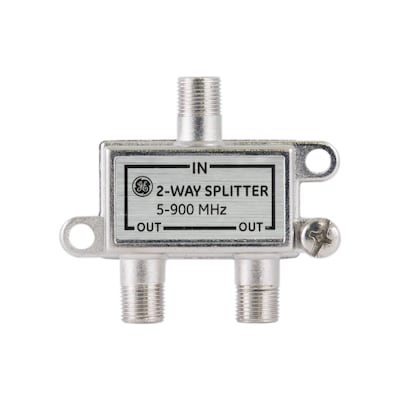
A: You split a coaxial cable with a coaxial cable splitter. You’ll
also need a new piece of coaxial cable for each of the outgoing lines. Just
insert the cable coming from the wall into the single input side of the cable
splitter. That side should be marked “IN.” Then, connect your new cables to the
outgoing lines, which should be marked “OUT.”